Digital Electronics Lab 1
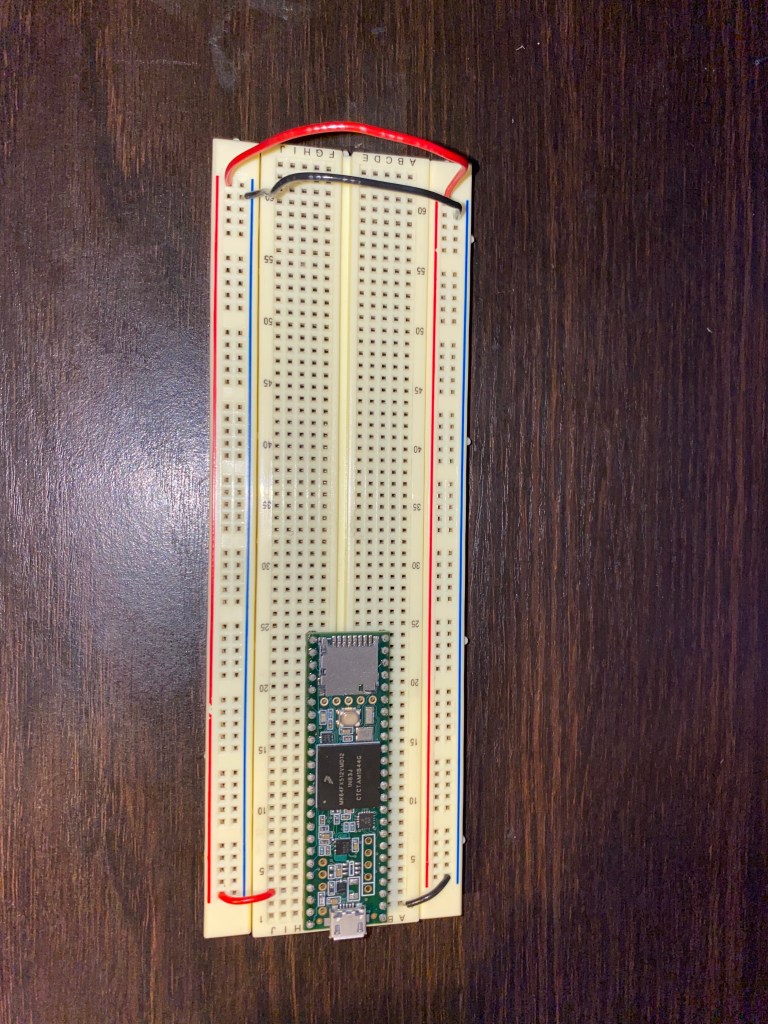
- Arduino/Teensy (I have ordered the parts but have not received them yet.)
- Research
Find 5 Arduino projects online that are interesting to you and link to them, with a one paragraph description of what each one is.
1. https://www.instructables.com/id/Simple-Electronic-Piano/
This project is a relatively simple piano made with a battery, pushbuttons, a timer, a 100 nF capacitor, an assortment of resistors and some wire. This is effectively a microcontroller, that plays a given pitch class assigned to buttons, which will play a scale from c5 to c6. I am not entirely sure how the resistors determine what pitch is played, but the layout is 8 buttons across the breadboard, each meant to represent a key in a 8 note scale.
2.https://create.arduino.cc/projecthub/razhaleva/arpeggino-midi-arpeggiator-sequencer-recorder-and-looper-5aeb7b?ref=tag&ref_id=music&offset=1
This project is an all in one midi sequencer/arpeggiator that lets you record multiple sequences. You can delete recorded layers, record new ones on top of the sequence, and even reconfigure the recorded layers. This sequencer is effectively a midi sequencer made up of buttons, an arduino, an alphanumeric LCD, and an Analogue/Digital MUX Breakout. This is an interesting project because having a midi sequencer of any kind seems like a useful tool.
3.https://create.arduino.cc/projecthub/deltakilo/vu-meter-for-audio-signal-dbu-using-lcd-0cef6d?ref=tag&ref_id=audio&offset=5
This project is a VU meter for Audio Signal (measured in dBu). This project was made using a DFRobot 12C 16×2 Arduino LCD display module, jumper wires, a 100nF capacitor, a through hole resistor, a couple of generic resistors, and an arduino. This project has a cool aethstetic, and it seems relatively straightforward once you acquire the required parts. This project interests me because the screen could be used for anything.
4.https://create.arduino.cc/projecthub/ashraf_minhaj/tuneglass-can-we-make-music-using-our-eyes-29ea91?ref=tag&ref_id=audio&offset=112
This project is a pair of sunglasses that generates tones using the wearer’s eyes. To make this project, its creator used the following: Both a arduino pro, and a UNO arduino. A speaker, an IR sensor, UT source electronic parts, and a 0.25 W 8ohms speaker. The entire concept of this project interests me because I am interested in wearable speakers/music technology.
5.https://create.arduino.cc/projecthub/anewxptr/crossfader-with-arduino-for-virtualdj-c6eb43?ref=tag&ref_id=audio&offset=126
This project is a crossfader that works with any DJ software that reads MIDI, using arduino. This project is less conventional than the other ones on my list as it does not require a breadboard or a traditional circuit setup. This project is interesting because of the code that makes the crossfader work with DJ softwares, which is all thanks to the arduino.
Find 5 of the given projects that are interesting and write a paragraph about each one.
1. Nick Royall’s project is an 8-step, 4-channel audio and MIDI step sequencer and keyboard. Basically, an all-in-one drum machine and keyboard. This project is based around a teensy 3.5, the analogue components only tell the teensy what to do. The synthesizer on this keyboard has four waveforms to choose from (sine, square, triangle, and sawtooth), and the pitch of the waveform is controlled on each step individually by the potentiometer for that step. The drum machine has a few imported drum samples that cannot be changed by the user, but a majority of the drum samples can be changed via C++.
2. Max Chidzero’s project is a teensy based “e-Cajon”. The e-Cajon is composed of two circuits and can be used to trigger on-board drum samples or set to midi mode to act as a midi controller. The Cajon itself was built using the Meinl Percussion MYO-CAJ Build your Own Cajon kit which can be purchased online. According to the demo, using a pair of sticks or hitting the target areas on the Cajon with your fist are the best ways to use the e-Cajon.
3. Sam Kingston’s project is a 64 LED cube that acts as an audio visualizer. This LED cube is powered by an Arduino Nano microcontroller, which is being sent data from a Teensy. The Teensy takes audio in from any device through a regular 3.5mm jack, and then the code stored within the Teensy separates the audio into 40 frequency bands, then averages them into 8 to correspond with each column on the cube. This project is very interesting, but looks painstakingly annoying to build the LED cube.
4. Matthew Lau made a midi drum pad with 4 separate pads. The pad is designed to trigger four different sounds from the computer. When you hit one of the pads, a contact sensor picks up the vibration and sends a message to the microcontroller. The microcontroller then interprets this message and communicates with any program the user would like, sending a MIDI note which can be used to trigger a sample.
5. Kelly Dicicco’s final project is a light instrument/synth. Kelly’s project was made of 8 LEDs each opposite a light sensor. There are two main programs to the project: the Arduino code and Max/MSP. The Arduino code has all the directions for the project, telling it what to do, and Max/MSP basically reads in what you’re doing on the hardware and actually plays the note. The code tells the project to play a certain note when each beam of light is broken.
- Brainstorm
Diagram: 
- Organize parts (done)
 Analogue Electronics Lab Spring 2020